


Quick Answer: In the Airtable vs monday choice, Airtable is better for teams that work with structured, relational data such as content calendars, inventories and CRMs. monday.com is better for teams that run projects and want dashboards, workload views and easy setup. Airtable Team costs $20 per seat a month on annual billing, while monday.com Standard costs $12 and Pro costs $19, with a 3-seat minimum. Confirm current prices on both official pages before you buy.
Introduction
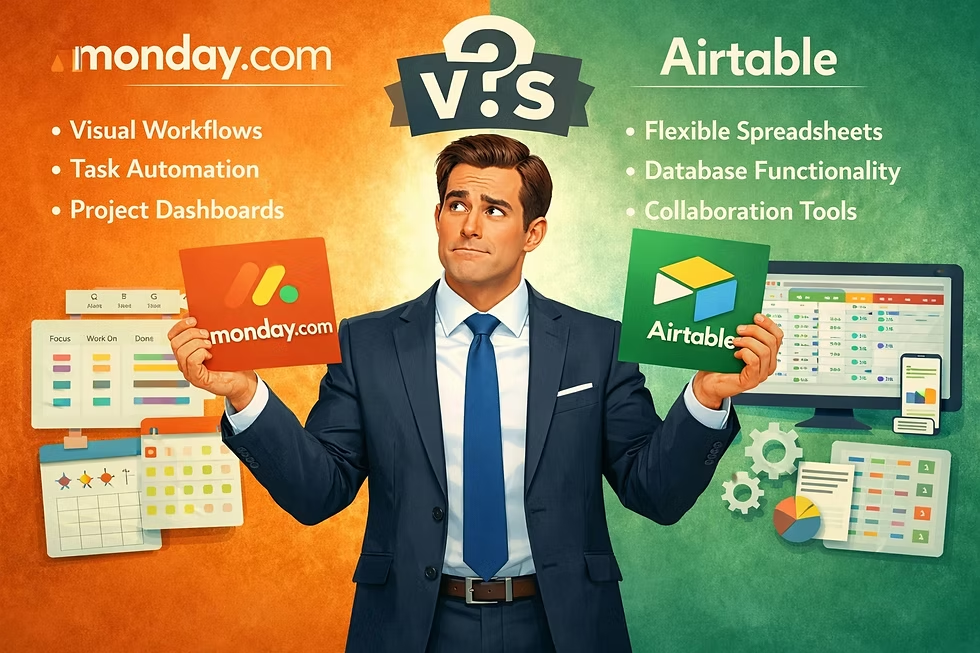
Airtable vs monday looks like a project tool comparison, but it is really a database versus project management choice. Airtable feels like a spreadsheet with database power, while monday.com feels like a visual project hub. At stoninsider.com, we compared the two on cost, limits and fit, using the same billing basis for both.
What This Guide Covers
You will see a side-by-side table, pricing for teams from 3 to 50, the limits you may hit, key features and who should choose which.
How I Checked the Numbers
I compared both vendors’ public pricing with several independent October 2026 reviews. Some older comparisons list outdated or inconsistent prices, so verify everything on the official pages before you buy.
Airtable vs Monday at a Glance
Here is the short version. The sections below explain each row.
Comparison Table
| Area | Airtable | monday.com |
|---|---|---|
| Core idea | Relational database with spreadsheet feel | Visual project and work management |
| Free plan | 5 editors, 1,000 records per base | 2 seats, 3 boards |
| Paid price (annual, per seat) | Team $20, Business $45 | Basic $9, Standard $12, Pro $19 |
| Seat rules | Per editor | 3-seat minimum, blocks of 5 |
| Automations | 100 runs Free, 25,000 on Team | 250 on Standard, 25,000 on Pro |
| Main limit | Records per base | Seat blocks and plan caps |
| Best for | Data-heavy workflows | Projects, dashboards, collaboration |
The Short Verdict
In the Airtable vs monday verdict, choose Airtable when your data has relationships and structure. Choose monday.com when your work is tasks, owners and deadlines.
Airtable vs Monday Pricing: What Does Each Cost?
In Airtable vs monday pricing, per-seat prices look close at the top tiers, but entry prices and seat rules differ. The fairest comparison matches plans with similar automation limits. Prices below are in USD.
Airtable Plans
Airtable has Free, Team at $20 per seat a month, Business at $45 and Enterprise Scale by quote on annual billing. Monthly billing is $24 for Team and $54 for Business. You pay per editor, and several 2026 reviews say read-only users are free.
monday.com Plans

monday.com has Free (2 seats, 3 boards), Basic at $9, Standard at $12 and Pro at $19 per seat a month on annual billing. Paid plans need at least 3 seats, and seats are reported to come in blocks of 5 after that.
Monthly Cost by Team Size
| Team size | Airtable Team ($20) | Airtable Business ($45) | monday.com Standard ($12) | monday.com Pro ($19) |
|---|---|---|---|---|
| 3 people | $60 | $135 | $36 | $57 |
| 6 people | $120 | $270 | $120 (10 seats) | $190 (10 seats) |
| 10 people | $200 | $450 | $120 | $190 |
| 25 people | $500 | $1,125 | $300 | $475 |
| 50 people | $1,000 | $2,250 | $600 | $950 |
Which Plans Are Truly Comparable?
Airtable Team and monday.com Pro both list 25,000 automation runs a month and timeline or Gantt tools. At that level, $20 versus $19 per seat is almost a tie. The big gap appears when monday.com Standard is enough for your needs.
What Is the Core Difference Between Airtable and Monday?
In Airtable vs monday, Airtable starts with data, while monday.com starts with work. That difference explains most of the pricing, limits and learning curve. Think about what you manage most.
Airtable: Database First

Airtable lets you link tables, build relationships and view the same data as a grid, calendar, kanban or gallery. It suits structured data like inventories, content pipelines and CRMs.
monday.com: Projects First
monday.com gives you boards with status columns, owners and timelines. It suits tracking tasks, campaigns and workloads across teams.
What This Means for You
If you ask “what data do I store,” Airtable fits. If you ask “who is doing what by when,” monday.com fits.
Airtable vs Monday Features: Data, Views and Automations
In Airtable vs monday features, both tools offer views and automations, but with different strengths. Here is how they compare on the features that matter.
Data and Relationships
Airtable is much stronger. You can link records across tables and roll up values. monday.com can connect boards, but it is not a true relational database.
Views and Project Tools
monday.com is stronger for project oversight, with workload views and dashboards. Airtable’s Team plan includes Gantt and timeline views, but project tracking takes more setup.
Automations
Both have built-in automations. Airtable lists 100 runs on Free and 25,000 on Team. monday.com lists 250 actions on Standard and 25,000 on Pro. Count your real needs before choosing.
Interfaces and Client Access
Airtable’s Interfaces let you build custom pages for your data, and Portals are an add-on for sharing with outside guests. Reviews place Portals at about $120 a month for 15 guests on Team. monday.com allows guest access with limits by plan.
AI Credits
Both include AI features with plan-based credits. Airtable lists 500 credits per editor on Free and 15,000 on Team, according to 2026 reviews. Check current terms on each site.
What Limits Will You Hit With Airtable vs Monday?
Each tool has a wall you should know about before you commit. Knowing it early avoids painful migrations later.
Airtable’s Record Limits

Airtable caps records per base: 1,000 on Free, 50,000 on Team and 125,000 on Business. Growing teams often hit the Free limit first.
Automation Caps
Both tools cap automations by plan. Airtable’s Free plan has only 100 runs a month, and monday.com’s Standard plan has 250 actions.
Seat Rules
monday.com’s 3-seat minimum and seat blocks make a team of 6 pay for 10 seats. Airtable charges every editor, even a freelancer who edits one base.
Airtable vs Monday: Who Should Choose Which?
Match the tool to the shape of your work in the Airtable vs monday decision. These lists make the decision simple.
Choose Airtable If
- Your work is structured data with relationships.
- You want custom interfaces on top of your data.
- You are a small team staying within the record limits.
- You are comfortable building your own system.
Choose monday.com If
- Your work is tasks, owners, deadlines and dashboards.
- You want fast setup with ready-made boards.
- You need workload views for several teams.
- You want lower per-seat prices at the entry level.
Consider Something Else If
If you want docs and a wiki, Notion may fit. If you want a project tool with a flat team price, look at tools with flat pricing.
What Mistakes Should You Avoid in an Airtable vs Monday Choice?
Three errors cause most bad purchases. They are easy to avoid.
Comparing Mismatched Plans
Comparing Airtable Team to monday.com Basic is unfair. Match plans by automation limits and features.
Ignoring Record Limits
A base that fills to 50,000 records forces a Business upgrade at more than double the price per seat.
Forgetting Seat Blocks
A team of 6 pays for 10 monday.com seats. Check the seat math before you compare totals.
Pro Tip: A 7-Day Test for the Airtable vs Monday Decision
This is the method I recommend before choosing. It uses free plans and trials.
Day 1 to 2: Load Real Data
Import one real dataset into Airtable and one real project into monday.com. Use actual records and tasks.
Day 3 to 5: Build Your Three Key Automations
Create the same three automations in each tool. Note how long they take and what plan limits you hit.
Day 6 to 7: Ask Your Team
Ask two teammates which tool they would open first each morning. Their answer matters more than any feature list.
Which is better, Airtable or monday?
It depends on your work. In Airtable vs monday, Airtable is better for structured, relational data, while monday.com is better for projects and dashboards.
Is Airtable cheaper than monday.com?
Usually not. Airtable Team at $20 per seat is higher than monday.com Standard at $12, and about equal to monday.com Pro at $19.
Does Airtable have a free plan?
Yes. Free covers up to 5 editors, with 1,000 records per base and 100 automation runs a month.
Does monday.com have a free plan?
Yes, but it covers only 2 seats and 3 boards.
Does Airtable have automations?
Yes. Airtable has built-in automations, with 100 runs on Free and 25,000 on Team.
Can monday.com work like a database?
To a point. It can link boards, but it is not a true relational database like Airtable.
Conclusion
The Airtable vs monday choice comes down to data versus projects. Choose Airtable for structured, relational data and custom interfaces, and monday.com for project tracking, dashboards and easy setup. We keep guides like this updated at stoninsider.com so you can compare with current numbers.












Leave a Reply